

In terms of user privacy, the Bitcoin network is very different from the legacy system of banks that most people are accustomed to.
Traditional bank accounts provide a centralized and regulated form of privacy, ensuring the security of personal and transaction data within the institution. However, this information remains accessible to authorized parties and regulatory authorities, and there is also a risk of it being leaked or stolen.
In contrast, Bitcoin users control distinct units of bitcoin known as UTXOs (Unspent Transaction Outputs). The system is characterized by its transparency, as the full transaction history is publicly available. While using Bitcoin requires no personal information, users often disclose some details about themselves during other steps of the transaction. Tools such as Whirlpool have been developed in order to enhance the financial privacy of Bitcoin users.
You can read more about UTXOs and privacy in this article.
What is Whirlpool?
CoinJoins are a type of collaborative transaction where many users enter one or more UTXOs to a pool of transactions, making it impossible to know with certainty which of the outputs belong to which participant.

Whirlpool is a CoinJoin mixer developed by Samourai, an open source software project which designs privacy tools for Bitcoin. Whirlpool is easy to use and mathematically guarantees that no deterministic links exists between inputs and outputs. Messages are relayed by a blinded coordinator server which does not know anything about their content, thereby protecting user privacy from the protocol itself. The operation is trustless and non-custodial: you remain in control of your funds at all times, and transactions are signed by your own wallet.
What is Sparrow Wallet?
Sparrow Wallet is a Bitcoin wallet for desktop that enables good privacy, and integrates Whirlpool Coinjoins. It can be used to create or import software (or ‘hot’) wallets—with the keys stored on your computer—or to manage your cold storage wallet by importing your public keys. Sparrow supports most of the hardware wallets on the market such as Trezor, Coldcard, Jade, or Ledger.
Step-by-Step Guide
1 / Download Sparrow Wallet
Go to sparrowwallet.com/download/ to get the latest version of Sparrow.
Don’t forget to verify the GPG signature to check that your version is genuine. There are tutorials on how to do so at the bottom of the download page.
2 / Connect to a Bitcoin node
Bitcoin wallets must connect to a node to look up your balance and broadcast transactions. Most wallets connect to a public node by default, which can leak information about which addresses you own. In order to protect user privacy, Sparrow is in offline mode the first time you run it.
To connect Sparrow go to ‘Preferences’ under the ‘File’ tab. Here we will use a public node.


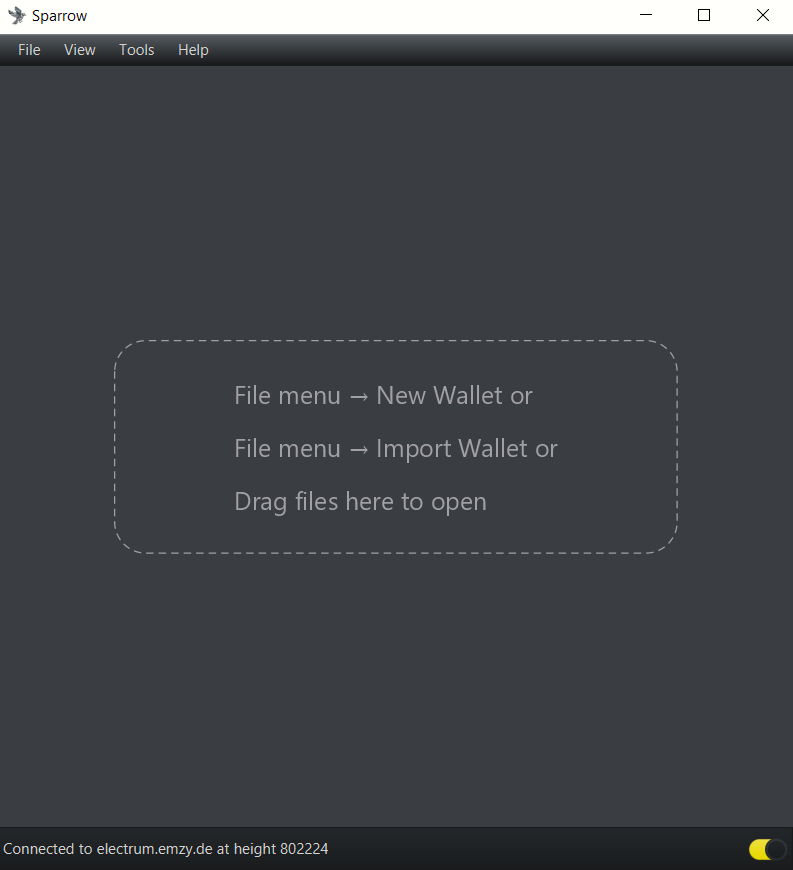
For more information on how to run your own Bitcoin node visit Running A Full Node.
3 / Create a new software wallet
The Whirlpool client featured in Sparrow needs to be able to sign transactions to enter your coins into a mixing round. This type of wallet—with the keys stored on the mobile or computer—is called a software (or ‘hot’) wallet, and shouldn’t be used to store large amounts of funds for a long period of time.
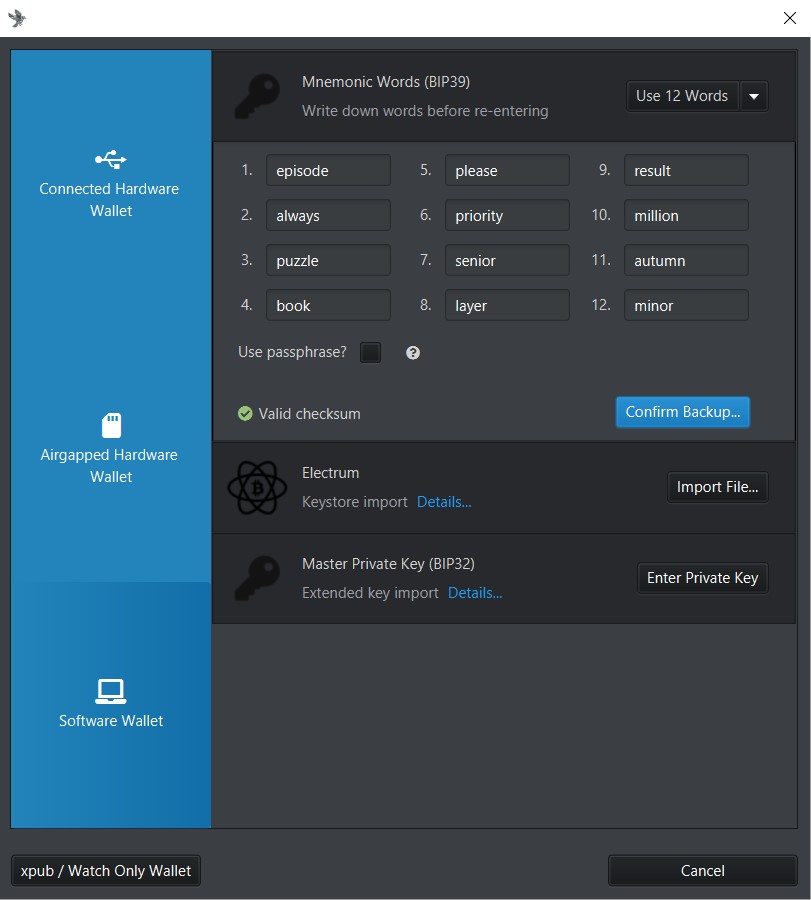
Click ‘New Wallet’ under the ‘File’ tab, name your new wallet, and pick ‘New or Imported Software Wallet’
Pick ‘Use 12 Words’ and click ‘Generate New’. Sparrow will create a random seed for your new wallet. Write down the 12 words on a piece of paper, and click ‘Confirm Backup…’
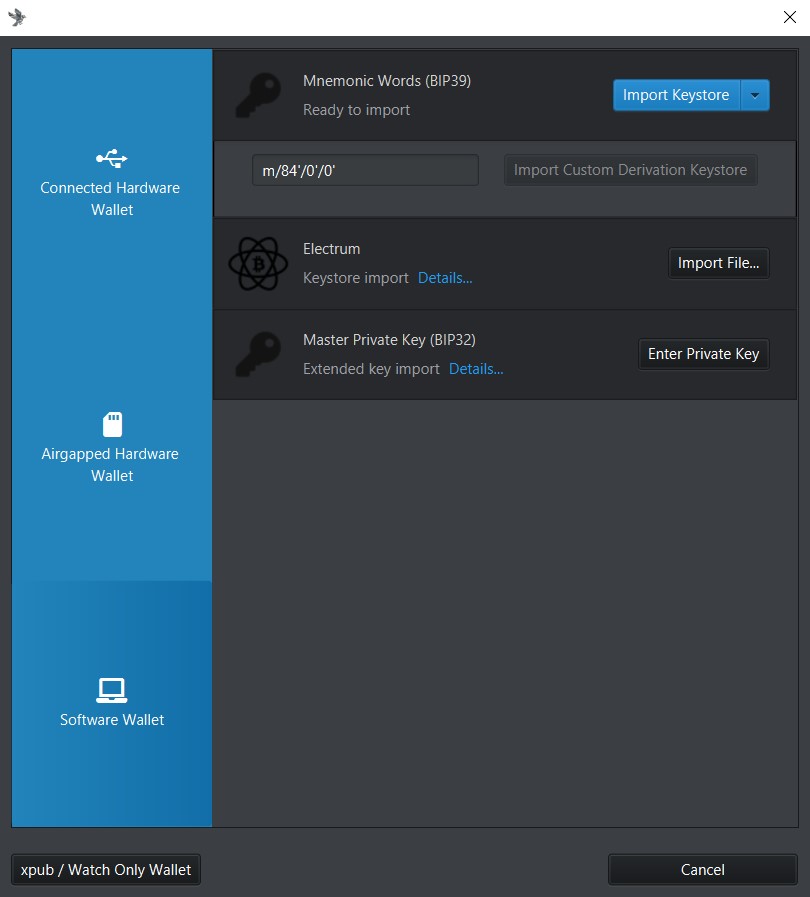
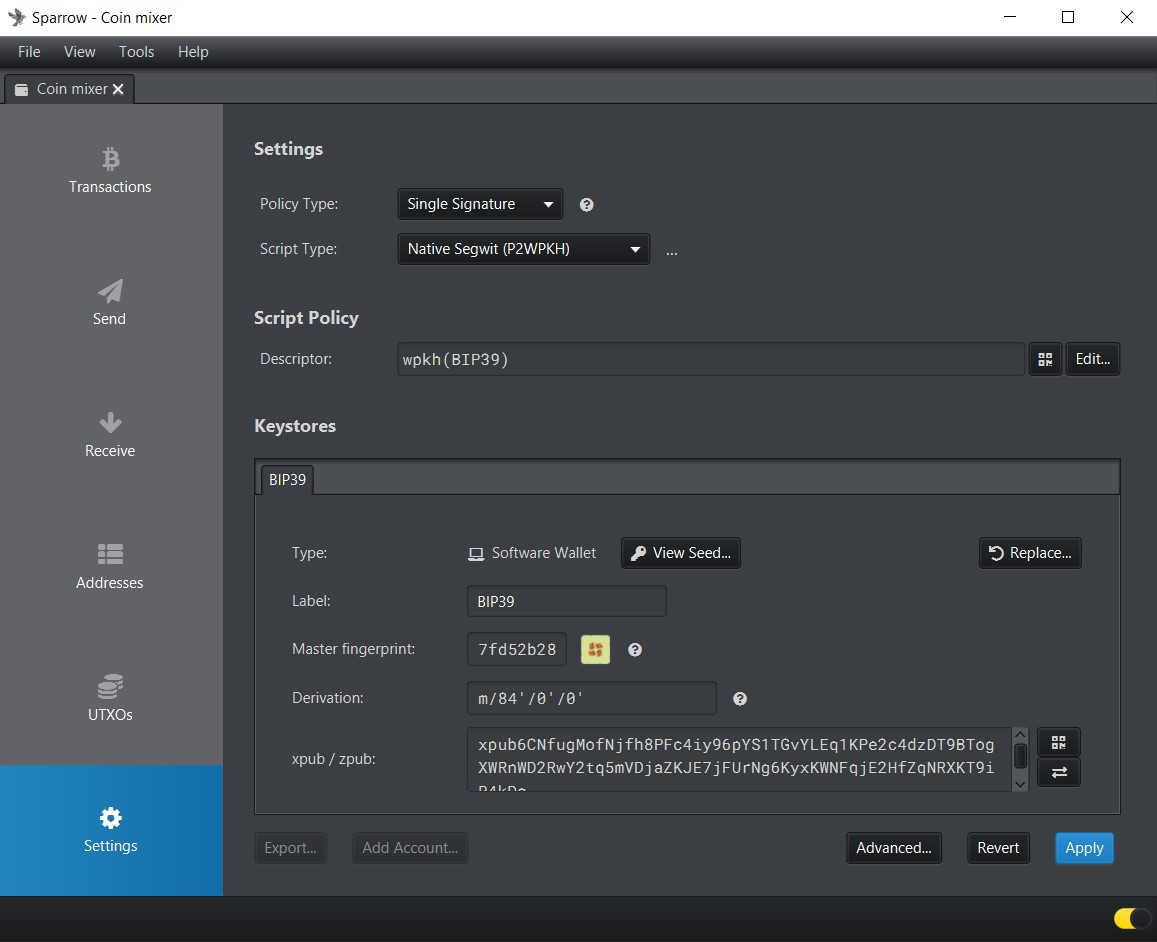
Once you have re-entered the seed phrase, leave the derivation path as it is, and click ‘Import Keystore’ to create the wallet. Leave everything as default in the ‘Settings’ tab and click ‘Apply’.

4 / Fund the wallet
Navigate to the ‘Receive’ tab on the left to get a fresh public address, and send the bitcoin you want to anonymize. Use a new address every time you send a new UTXO to the wallet: address reuse is bad for privacy and could be unsafe.

5 / Start mixing!
Navigate to the ‘UTXOs’ tab, and select the outputs you wish to mix (you can hold the CTRL key to select multiple outputs).

Click ‘Mix Selected’ to start the mixing process. A window will pop-up which highlights the features of Whirlpool, and lets you configure the fee rate and add a promo code if you have one. A higher fee will get your transactions confirmed faster. You can double check Sparrow’s fee estimation by looking up current fee rates on mempool.space.

The next step is to pick an output size. In the pre-mix transaction, also called tx0, Whirlpool will split your UTXO into new ones of equal amounts and enter these outputs to a pool where it will get mixed with other participants’ outputs. At the moment the available pools are:
- 0.5 BTC (1,750,000 sats fee)
- 0.05 BTC (175,000 sats fee)
- 0.01 BTC (50,000 sats fee)
- 0.001 BTC (5,000 sats fee)
Since our UTXO is 0.00397647 BTC, we can only select the 0.001 pool.
Once you have picked a mixing pool, you will see a preview of the pre-mix transaction. This transaction, also called tx0, splits the funds into UTXOs of the right size for the pool, and pays the fee to the Whirlpool coordinator.
Here we can see our UTXO used as the input, and divided into the 3 “anonymised” outputs (marked ‘Premix’), plus the Whirlpool coordinator fee, and the mining fee. The premix outputs are 100,000 sats, plus their own mining fee of 2,117 sats to enter the first mixing round. Subsequent mixing rounds come with no fee, and increase your anonymity for free. The change output for the pre-mix transaction is called Badbank Change, and is sent to a segregated wallet (which you control) to avoid accidentally mixing it back with anonymised outputs, which would defeat the purpose of the CoinJoin.


Once you are happy with the settings, click ‘Broadcast Premix Transaction’ to continue.
Mixing Wallet Overview
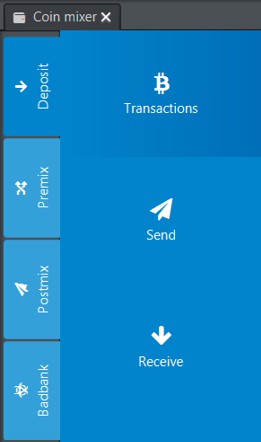
Our mixing wallet is now divided into 4 sections which you can access with the tabs on the left:
- Deposit — This is where you send bitcoin from other wallets, and select UTXOs for mixing.
- Premix — Users don’t directly interact with this account. It contains outputs from the tx0 or premix transaction that are designated for mixing and awaiting processing. These outputs, not yet spendable, hold priority in Whirlpool cycles.
- Postmix — Funds in this wallet have been through at least one round of mixing. They can be spent, sent to cold storage, or remixed for free to increase privacy.
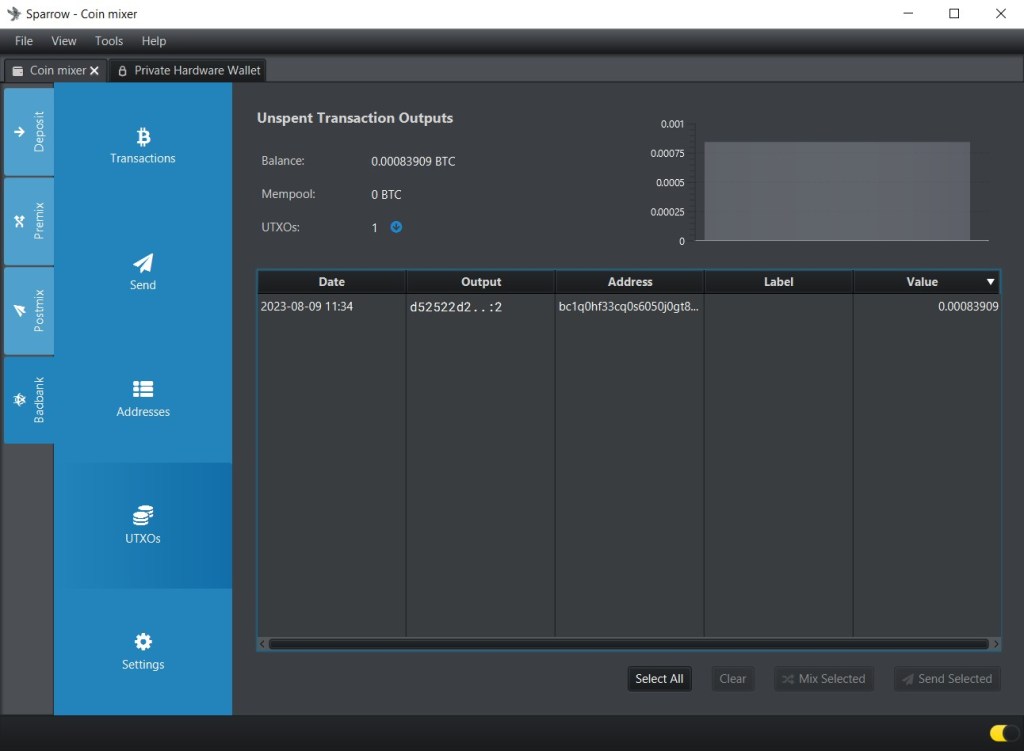
- Badbank — Contains the change outputs created during premix transactions.
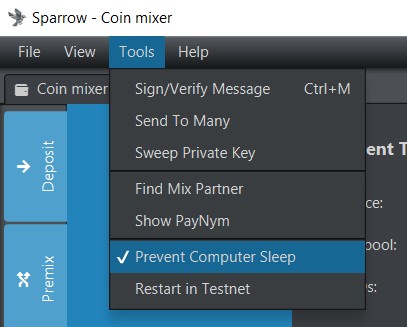
Additional mixes increase your anonymity set. To benefit from it, leave Sparrow open by preventing computer sleep in the ‘Tools’ menu.
Making a Postmix Transaction
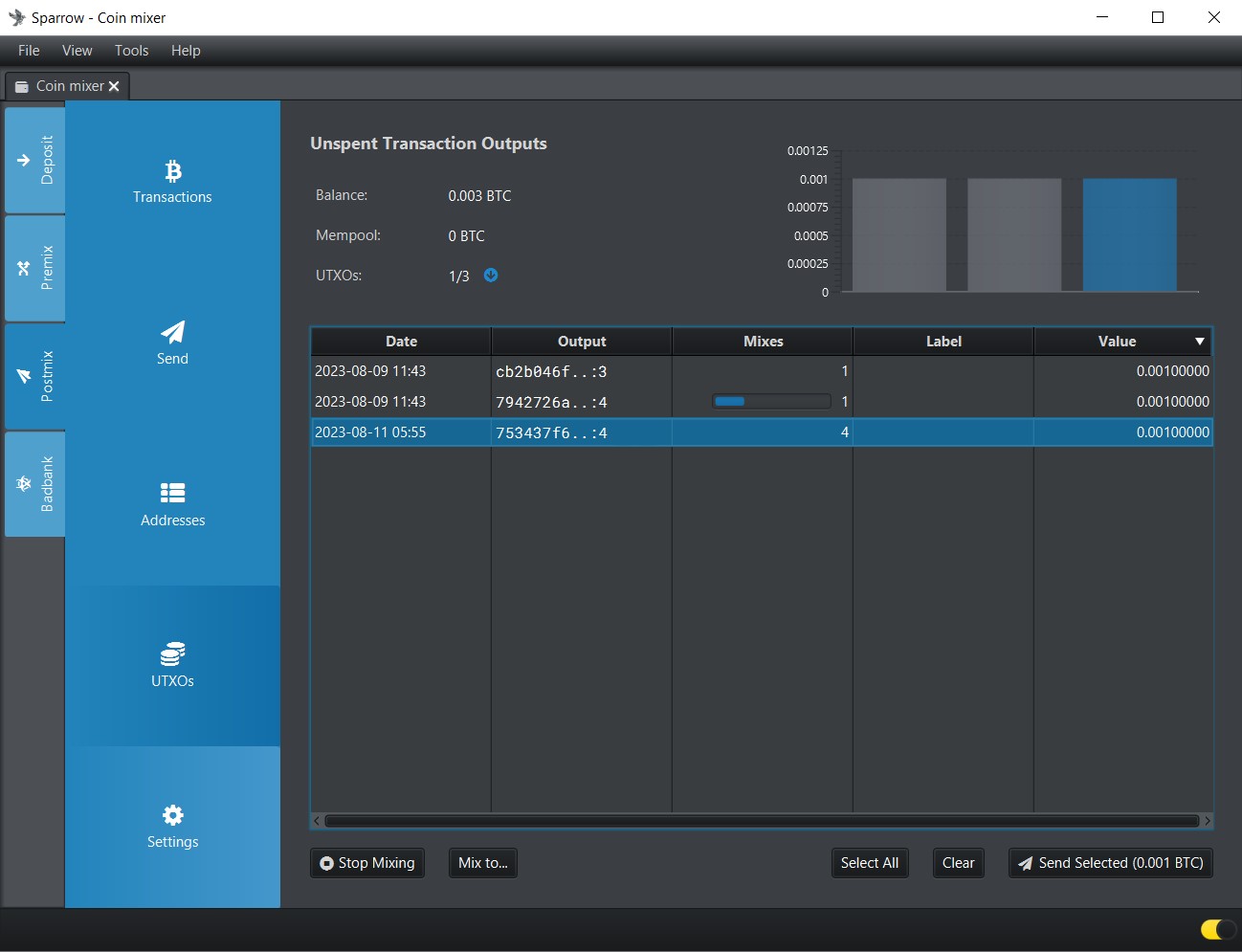
Navigate to the postmix wallet and go to the ‘Send’ tab, or select outputs from the ‘UTXOs’ tab. Here we pick the last UTXO on the list, which has been mixed 4 times, and use it to pay our friend Bob 0.00075 BTC.
Click ‘Send Selected’, then remember to double check the address, the amount, and the fee before sending. This transaction creates a change output, which is returned to our postmix wallet.

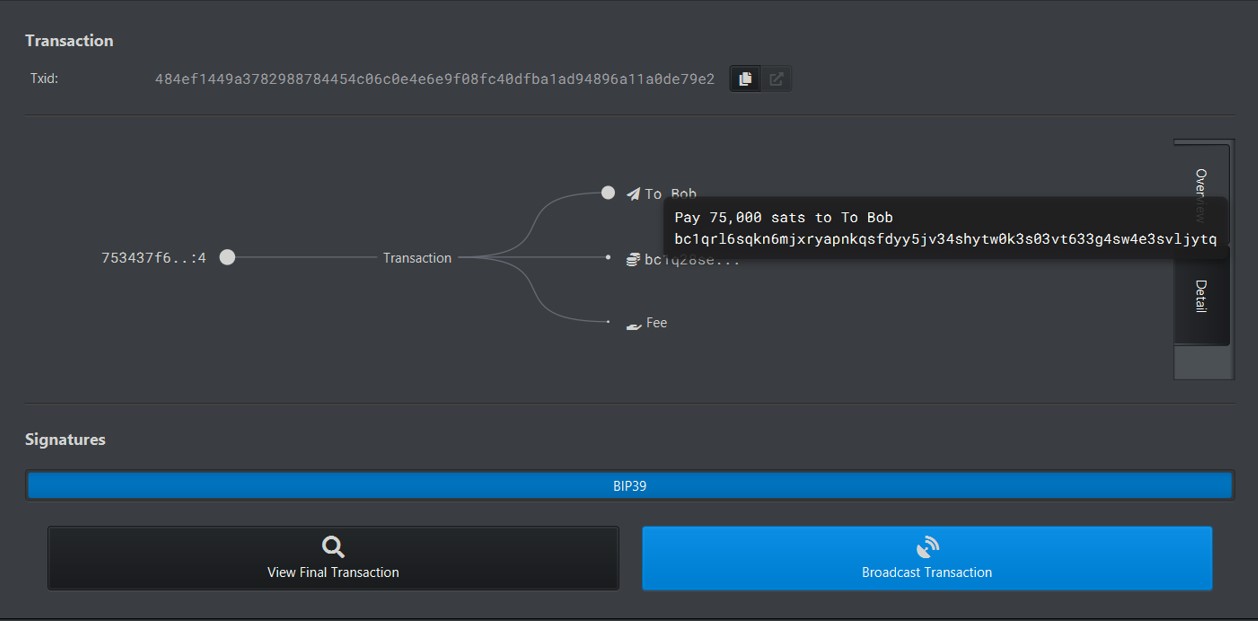
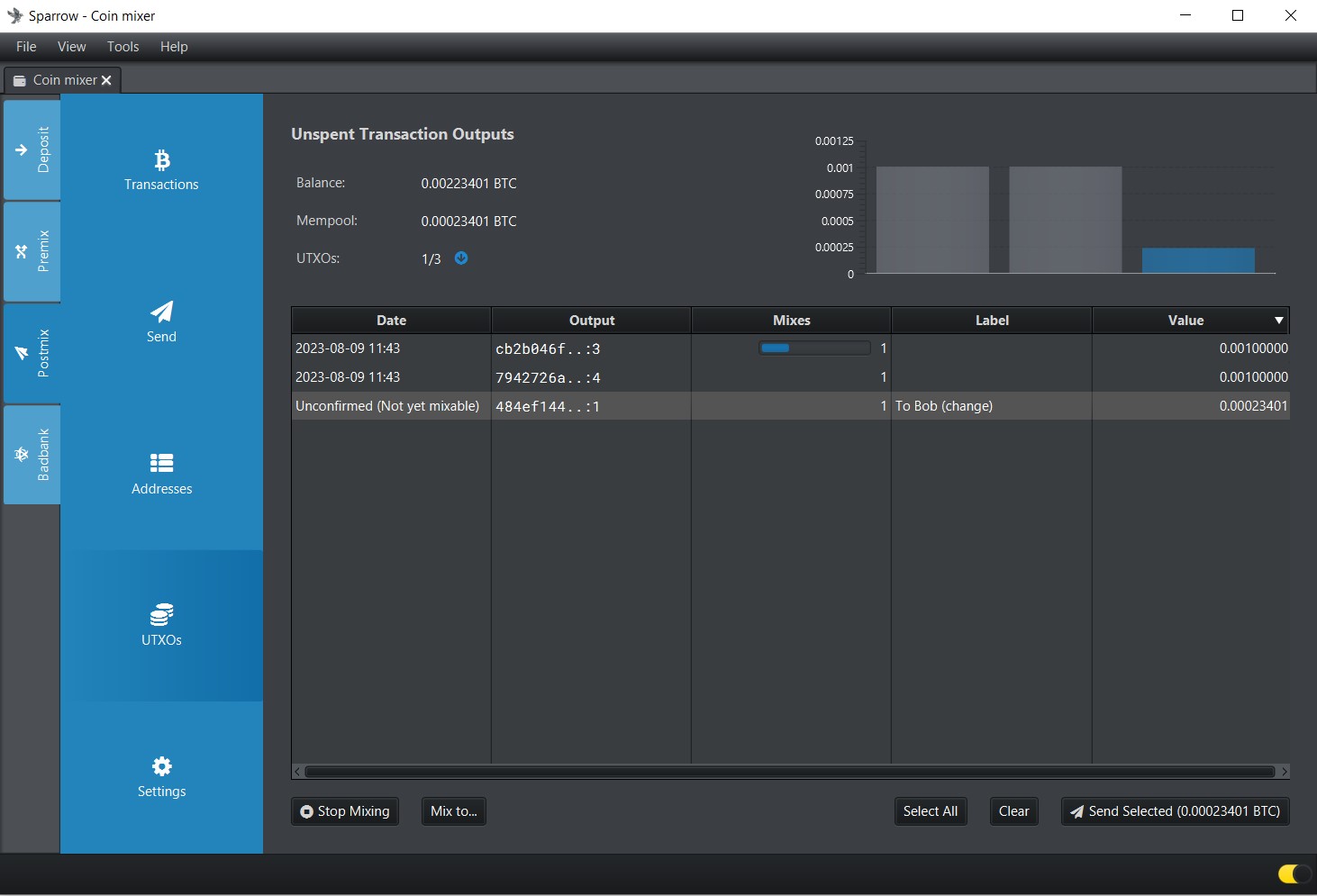
When combining multiple UTXOs in a transaction, Sparrow will use Stonewall to increase privacy.
Mixing to Cold Storage
Sparrow offers the option to mix funds directly to another wallet after they have completed a pre-defined number of mixes.
To do so, import your destination wallet into Sparrow, and open it in another tab. Select the UTXOs from your Postmix wallet and click ‘Mix to’, then select the destination wallet and the desired number of mixes.


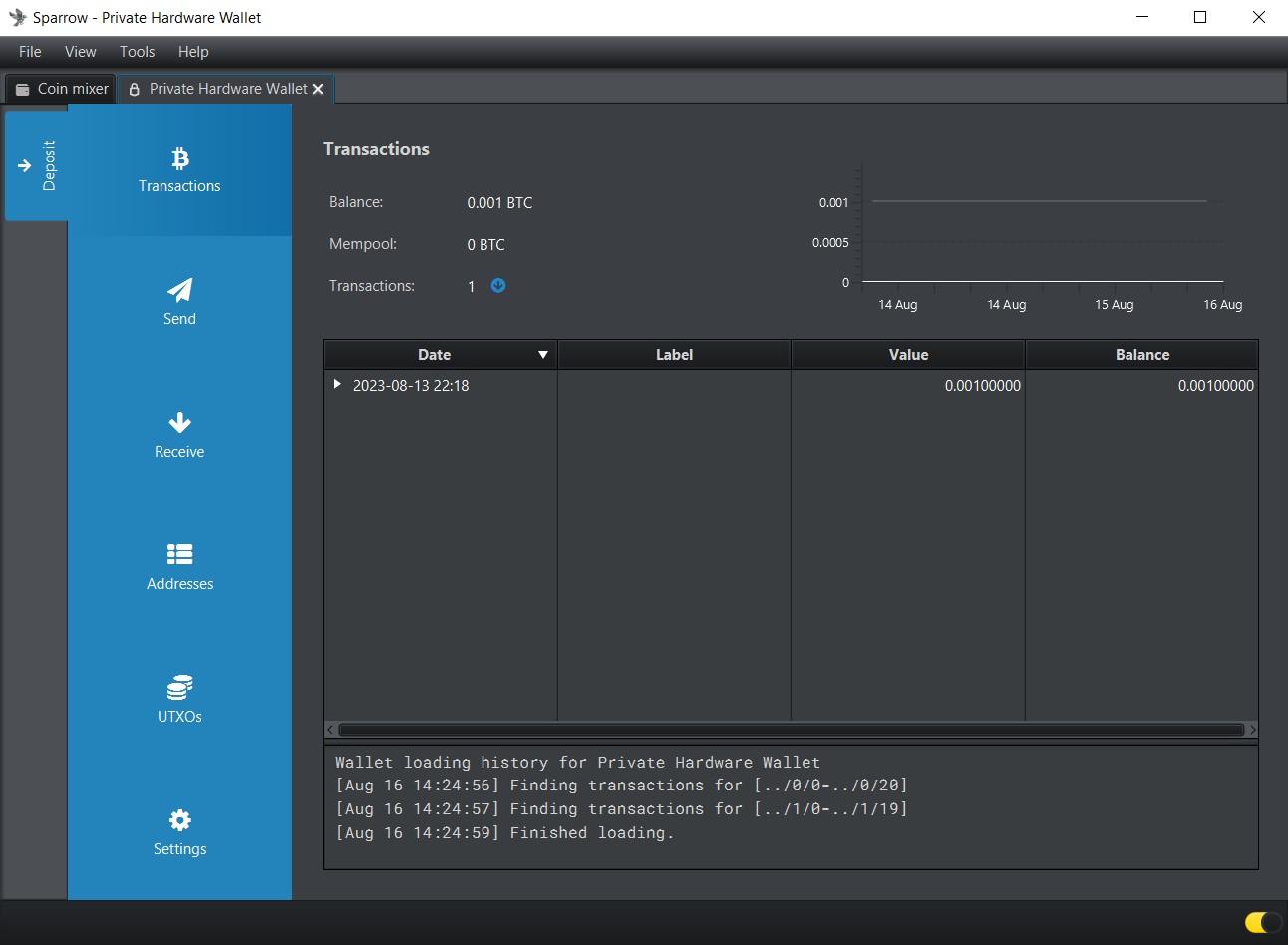
Remember to keep Sparrow open and to prevent your computer from going to sleep if you want the mixing to progress!
Dealing with Change Outputs
The Badbank wallet holds the change from the pre-mix transaction. This Bitcoin has not been anonymised and is still directly linkable to your initial transaction. Never mix Badbank change with post-mix funds, as it would defeat the purpose of mixing! There are a number of options for dealing with this ‘toxic’ change:
- Remix it to a smaller pool directly from the UTXOs tab in the Badbank wallet, until it is smaller than 0.001
- Use change outputs to make a donation (which do not return change)
- Buy gift cards anonymously with Bitrefill
- Fund a Lightning wallet for spending — Non-custodial and custodial have different sets of privacy trade-offs
Summary
Here’s a summary of how to use Whirlpool CoinJoins with Sparrow wallet to protect your financial privacy when using Bitcoin:
- Download Sparrow
- Connect to a node
- Create a software wallet and make a backup
- Fund the wallet
- Split and mix your UTXOs by clicking ‘Mix Selected’ in the UTXOs tab
You can then spend your post-mix funds, mix them directly to cold storage, or keep them in the Postmix wallet to benefit from free additional mixing rounds which increase your privacy.
A few tips
To ensure the best privacy and user experience when using Whirlpool with Sparrow Wallet, follow these pro-tips and best practices:
- Check your backup: Before starting the mixing process, ensure you have a secure backup of your wallet seed. This backup is essential to recover your funds in case of any issues.
- Use your own node: Connect Sparrow Wallet to your own private server to ensure you are not exposing public keys and transaction data to a third party.
- Fee Estimation: Make sure your transactions have appropriate fees for timely processing. You can double check Sparrow’s fee estimation by looking up current fee rates on mempool.space.
- Use multiple wallets: Keep your mixed funds in a separate wallet. You can take advantage of the passphrase feature to achieve this.
- Labelling UTXOs: Use the labelling feature in Sparrow Wallet to keep track of your coins. This helps you differentiate between mixed and unmixed funds.
- Stay Informed: Follow updates and announcements related to Sparrow Wallet and Whirlpool to stay informed about new features, enhancements, or security recommendations.
Remember, Whirlpool mixing enhances your privacy by breaking the transaction trail, but it’s important to follow best practices to maintain the anonymity of your bitcoin.
Posted at block 803881



 Bitcoin Bumblebee
Leave a comment